
JavaScript Operators: The Basics You Need to Know
Ever feel like coding is just a fancy way of doing math and making decisions? At its core, that’s exactly what it is. In JavaScript, operators are the special symbols that let us perform these actions—whether it's adding numbers, comparing values, or checking if two conditions are true.
In this post, we’ll break down the most common operators you’ll use every day.
1. Arithmetic Operators: The Calculator
These are the most familiar. They perform basic math on numbers.
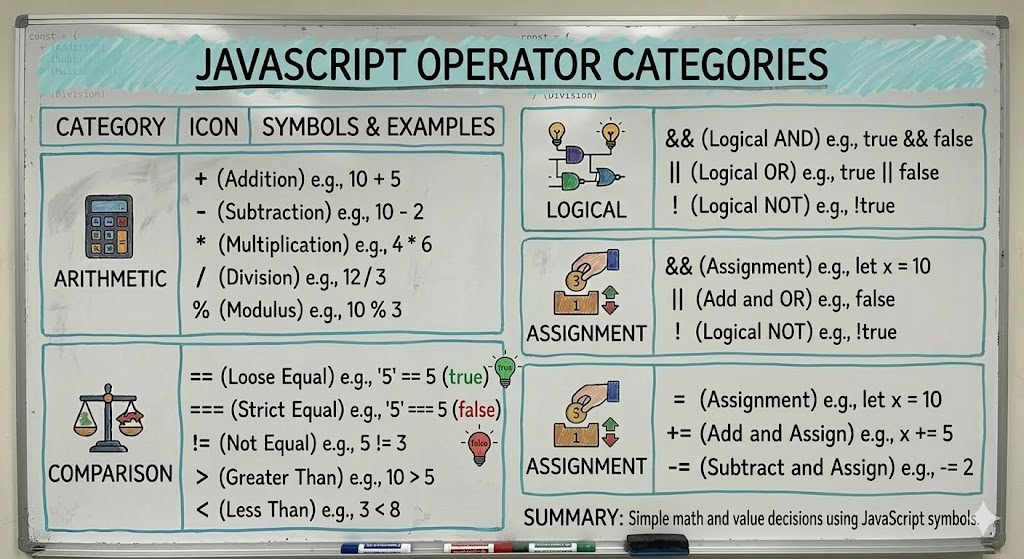
+(Addition)-(Subtraction)*(Multiplication)/(Division)%(Modulus/Remainder)
let apples = 10;
let oranges = 5;

console.log(apples + oranges); // 15
console.log(apples * oranges); // 50
console.log(apples % 3);       // 1 (10 divided by 3 leaves a remainder of 1)
2. Comparison Operators: Making Decisions
Comparison operators are used to test if something is true or false. They always return a Boolean (true or false).
The Big Debate: == vs ===
==(Loose Equality): Checks if the values are the same, even if the types are different (e.g.,"5" == 5istrue).===(Strict Equality): Checks if both the value AND the type are the same. This is almost always what you should use to avoid bugs!
let score = 100;
let stringScore = "100";

console.log(score == stringScore);  // true
console.log(score === stringScore); // false (Number vs String)
console.log(score > 50);            // true
3. Logical Operators: Combining Conditions
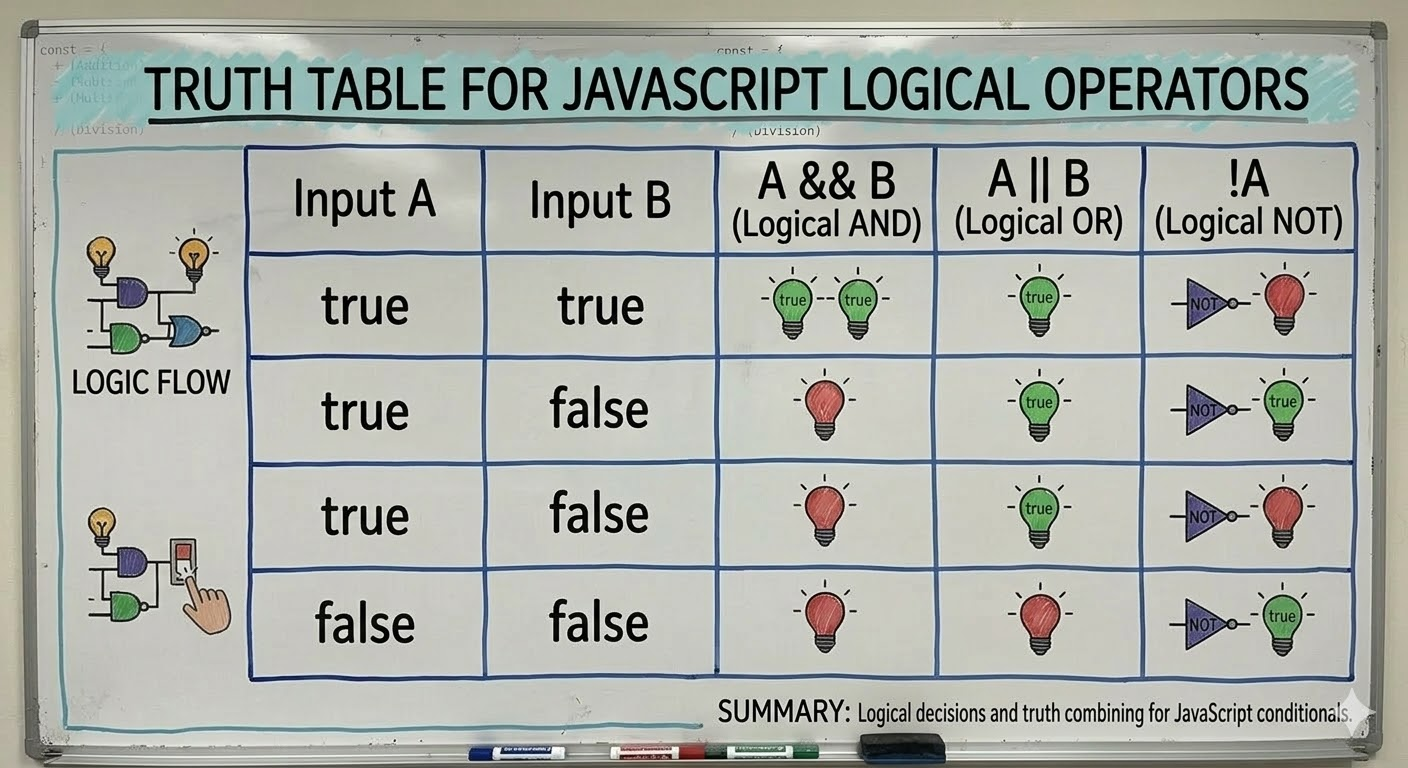
Logical operators allow you to check multiple conditions at once.
&&(AND): Returnstrueonly if both sides are true.||(OR): Returnstrueif at least one side is true.!(NOT): Flips the value (truebecomesfalse).
let isAdult = true;
let hasTicket = false;

// Do they get in?
console.log(isAdult && hasTicket); // false (needs both)
console.log(isAdult || hasTicket); // true (has at least one)
4. Assignment Operators: Saving Values
You already know =, which assigns a value to a variable. But there are "shorthand" versions that perform an operation and assign the result in one step.
+=(Add and assign)-=(Subtract and assign)
let level = 1;
level += 5; // Same as level = level + 5
console.log(level); // 6
Putting It Into Practice
To see these in action, let’s imagine we are building a simple game logic script.
We start by taking two numbers and performing some math. Then, we check if our results meet certain criteria. We might compare a player's currentScore to a winningScore using strict equality (===) to ensure no "loose" matches skip the rules.
Using logical operators, we can check if the player has lives > 0 AND hasPowerUp === true before allowing a special move. Finally, we use assignment operators like score += 10 to quickly update the tally as they play.